Member Referral Guide
Quick and Easy
Member Referral Method
Quickly and easily gather members to expand your own network!

STEP 1
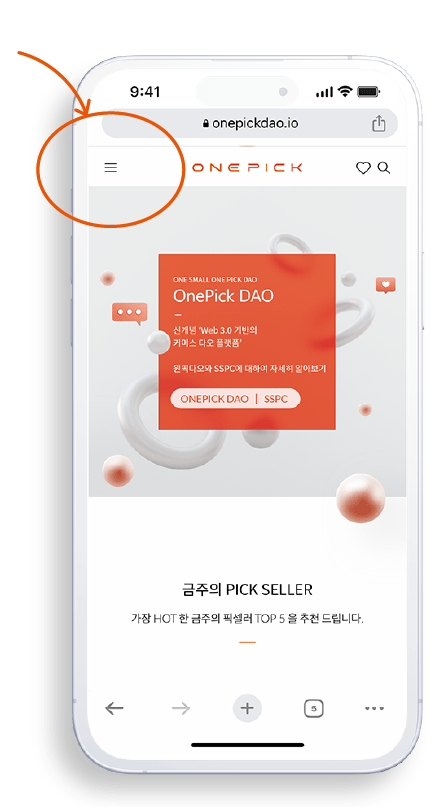
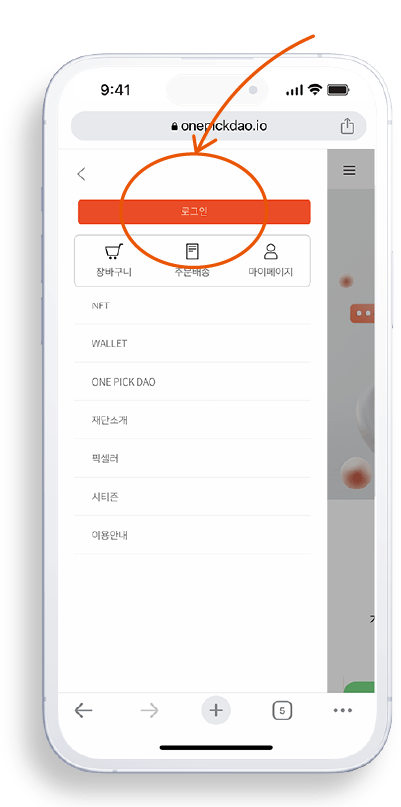
Access the Onepick Homepage.
Click the button below to access the Onepick homepage and log in.
STEP 1
Access the Onepick Homepage.
Click the button below to access the Onepick homepage and log in.
STEP 2
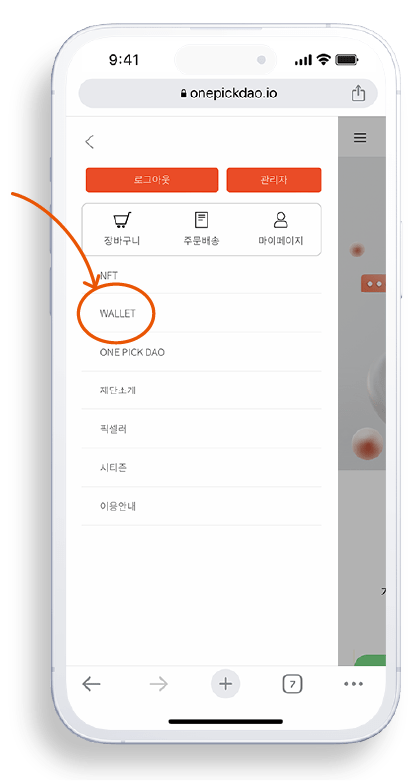
Navigate to the Menu and Access the Wallet.
Click the menu button and access the wallet by clicking the WALLET button.
STEP 3
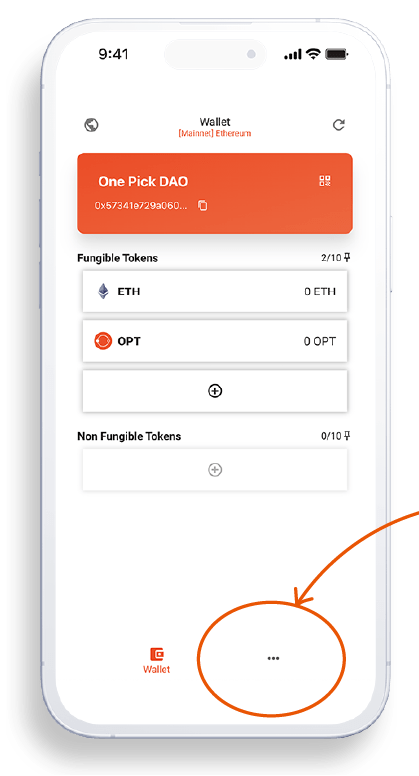
Click on the "More" Button at the Bottom of the Wallet Menu.
Click on the "More" button at the bottom of the screen, which is represented by three small dots.
STEP 4
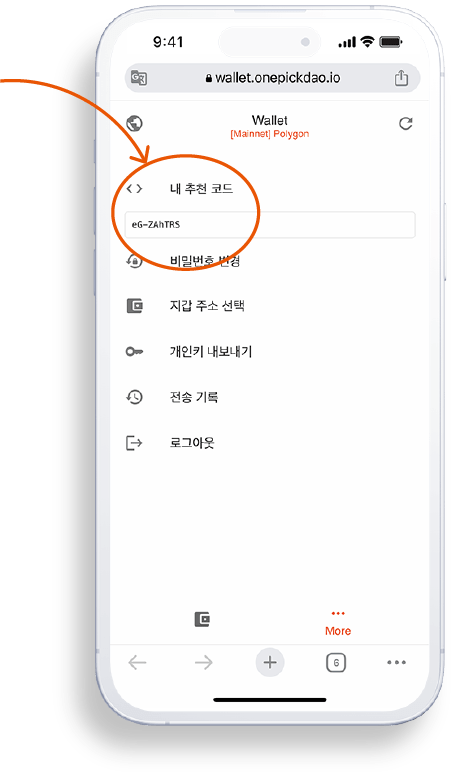
Check Your Referral Code at the Top of the Wallet.
Check your referral code at the top of the wallet and copy it to share with your friends!
STEP 5
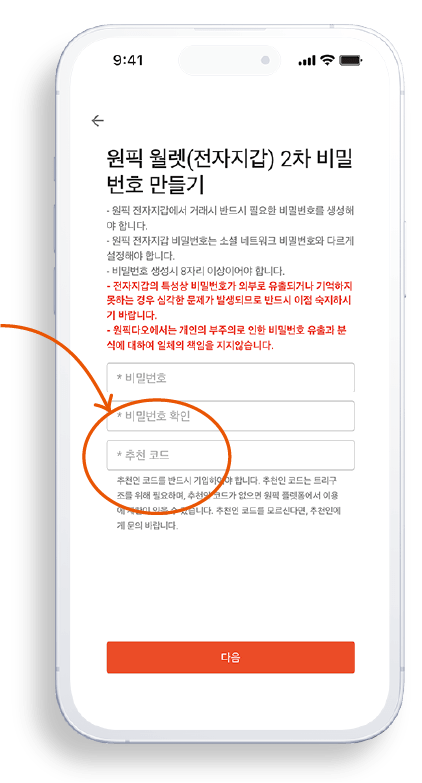
Insert Your Referral Code when Your Friend Creates a Wallet.
When your friend is creating a wallet, have them input your referral code in the designated field.
Once they do that, the invitation is complete!